Meet the Fastest Video Banner for Your Shopify Store
 Amiya SoniSoftware Engineer · 6 min read
Overview
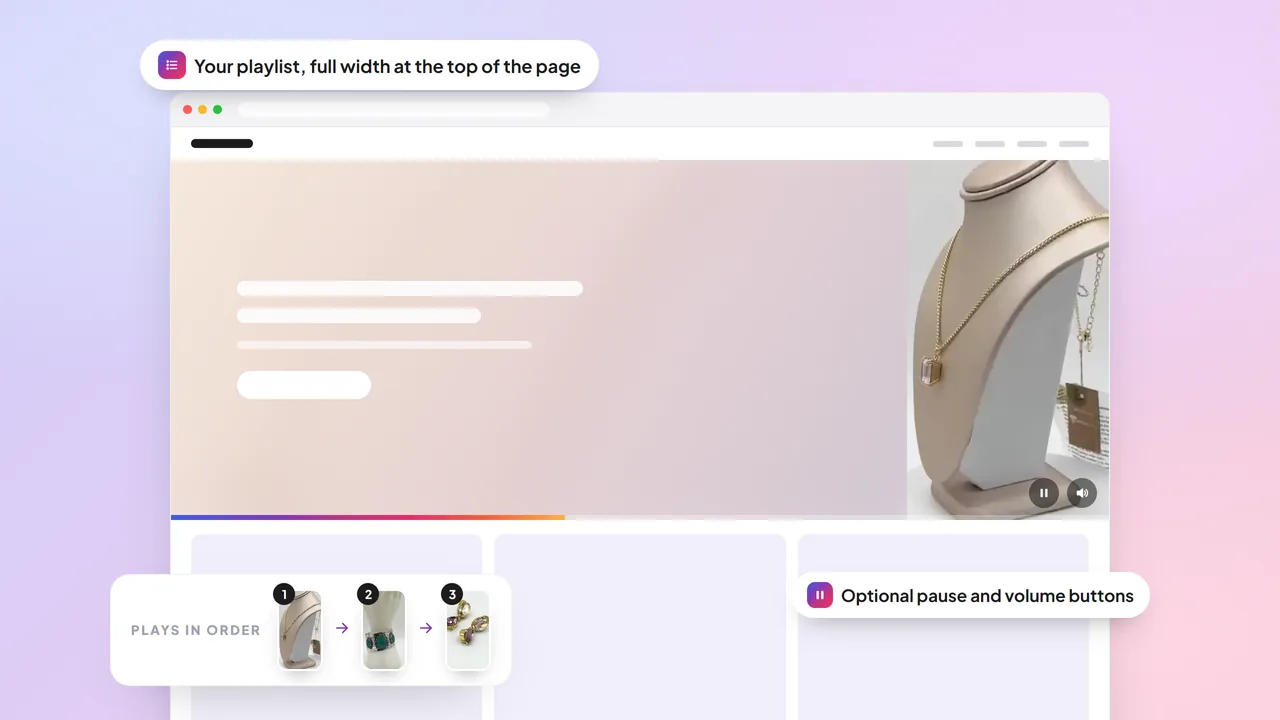
The new Videoselz Video Banner turns a playlist you already made into a full-width video at the top of your page, and it is the fastest video banner you can add to your store. Visitors see a clear picture the instant the page opens, and your videos start playing right behind it.
Key takeaways
- Your playlist, now a banner: paste the Playlist ID in your theme editor and your videos play one after another in a single full-width video.
- Fast first picture: in our own lab tests the first picture was on screen in about 0.5 seconds on a phone on a slow connection, against about 1.1 seconds for a standard autoplay video.
- Plans: the Video Banner is part of Videoselz Pro. You can add the block and preview it on any plan.
- Setup: add the block in the theme editor, paste the Playlist ID, and switch on Hero if the banner is at the very top of the page.
Why do store videos at the top of the page let you down?
The top of your page is the first thing every visitor sees, and it is where store videos often let you down. A standard video section can leave an empty box while it waits to load, then pop in late and push the page around. It plays one clip and stops. And the moment you want several videos in a row, or a look that matches your brand, it turns into custom code and another request to a developer.
On a phone with a slow connection it is worse. Visitors look at a blank space while your best video arrives after they have already started to scroll. The banner your team wanted ends up slow, stuck in place, or never launched.
Using a YouTube or Vimeo embed at the top of your page instead? We tested how those compare in Videoselz vs YouTube & Vimeo.
What is the Videoselz Video Banner?
The Videoselz Video Banner is a new block for your theme editor. You choose a playlist, and it does the rest.
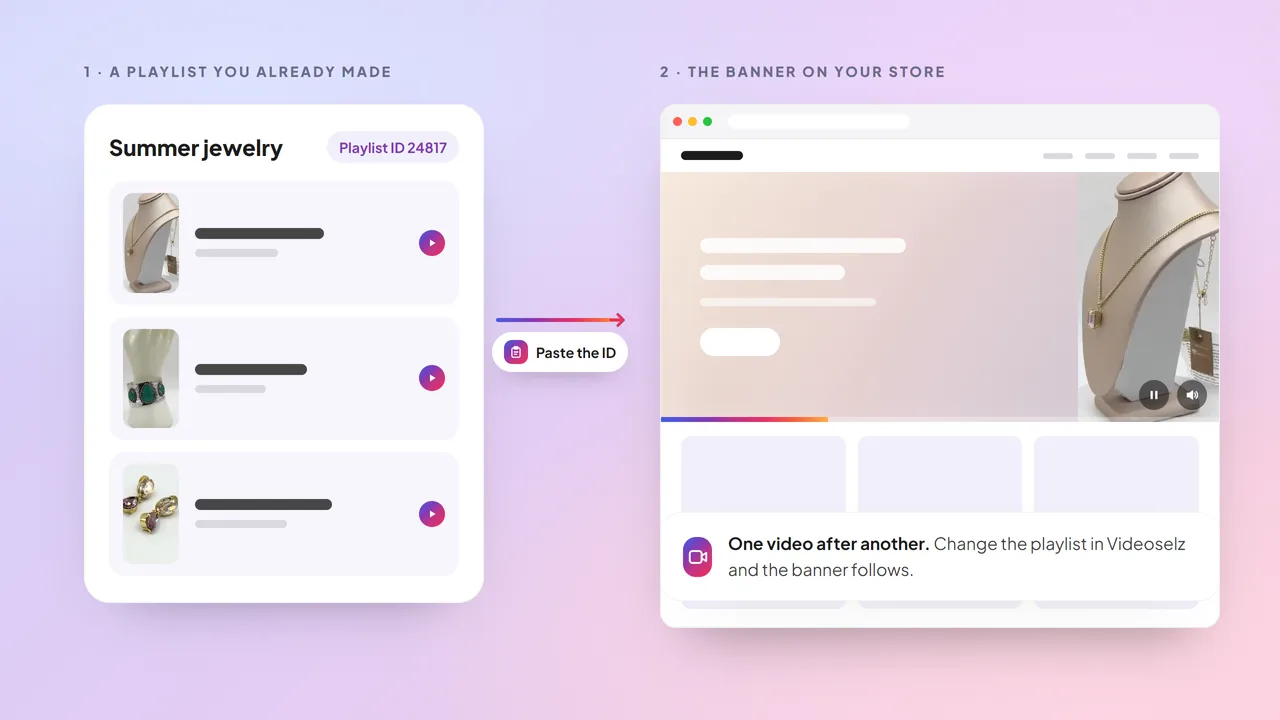
- Your playlist, now a banner. Paste the Playlist ID from the playlist page in Videoselz, and your videos play one after another in a single full-width video. Change the playlist in Videoselz and the banner follows.
- The fastest way to get video on screen. A clear picture appears the moment your page opens and your video starts right behind it, so visitors are never left looking at an empty box.
- Design it in clicks, not code. Choose the shape for desktop and mobile, set the video quality, add a color tint in any color, show a pause or volume button, and link the whole banner to any page.
- Try it before you go live. Add the block on any plan and preview exactly how it looks in your theme editor. Your visitors see the banner on Videoselz Pro.
Why is the Video Banner so fast?
Speed is the reason the Video Banner exists. We keep the details under the hood, but the idea is simple: do first what a visitor sees first, and keep everything else out of the way.
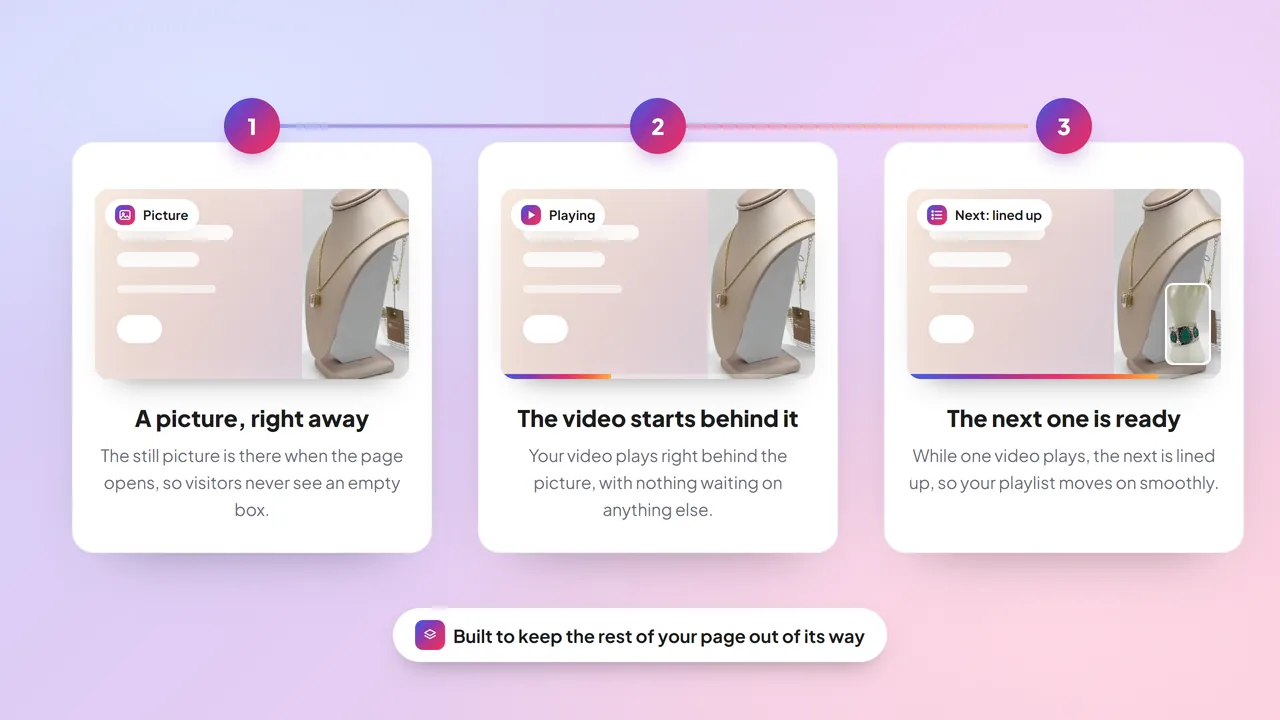
- First things first. The picture and the video are the first things the banner asks for. Everything that is nice to have waits until your page has finished loading.
- The next video is ready before you need it. While one video plays, the next is lined up in the background, so your playlist moves on instead of stopping to load.
- Nothing in the way. The banner does not hold up the rest of your page, and your page does not jump around while it loads.
- The right size for every screen. Unless you choose a quality yourself, the banner picks the video that suits each visitor's screen.
The result is a banner that feels instant, on your visitors' phones as much as on your own laptop.
How much faster is the Video Banner?
On a phone with a slow connection, the first picture is on screen in about 0.5 seconds with the Video Banner, against about 1.1 seconds with a standard video. We tested the Video Banner against a standard autoplay video of the same size, in the same spot on a page, in our own lab tests.
| Time until the first picture is on screen | Standard video | Videoselz Video Banner |
|---|---|---|
| Phone on a slow connection | about 1.1 seconds | about 0.5 seconds |
| Laptop | about 0.5 seconds | about 0.3 seconds |
On a phone, that is roughly half the wait. In the same tests the page did not jump around while it loaded, and nothing in the banner held up the rest of the page.
Lab results vary with your theme, your videos and your visitors' connections. We compared the Video Banner with a standard video only; we have not tested other banner apps.
How do I add the Video Banner to my Shopify store?
Add the block in your theme editor, paste a Playlist ID, and save. There is no theme code to edit. It takes four steps:
- Open your theme editor.
- Add the Videoselz Video Banner block to the page where you want it.
- Paste the Playlist ID, which you can copy from the playlist page in Videoselz.
- Choose the shape for desktop and mobile, add a tint, buttons or a link if you like, and save.
Putting the banner at the very top of the page? Switch on Hero so it loads before anything else. Use Hero on one banner per page.
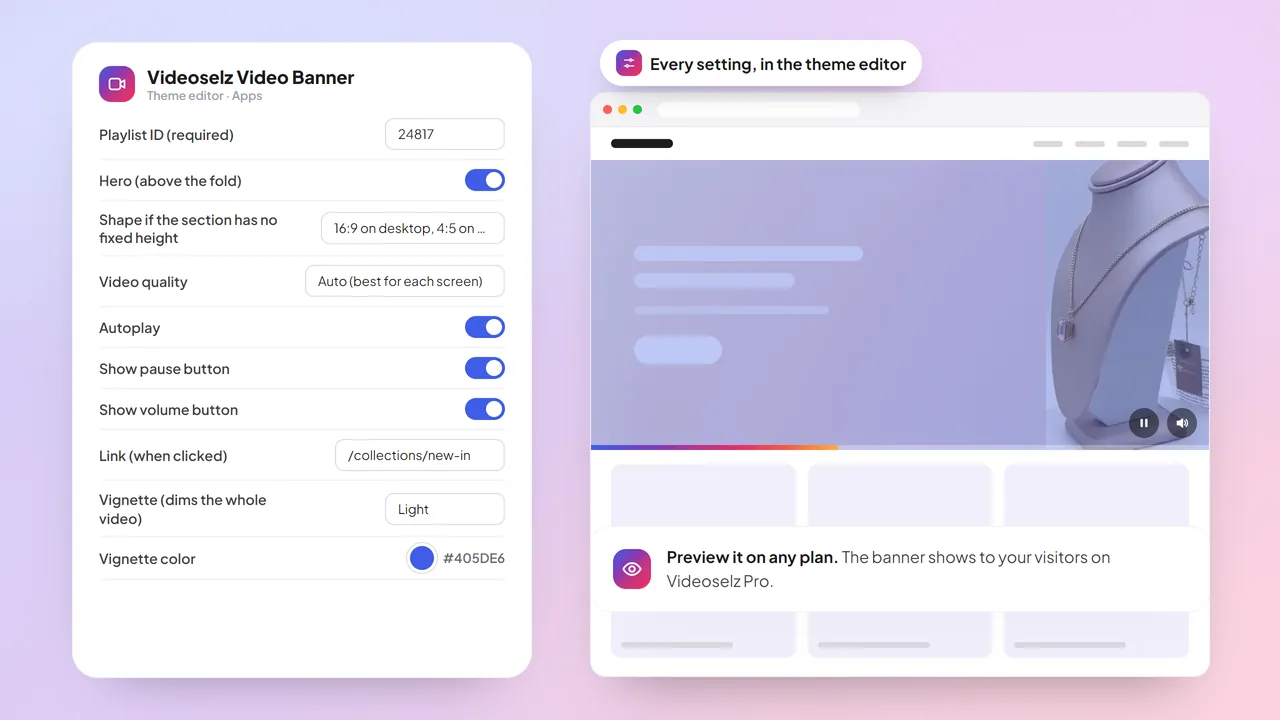
The Video Banner page shows the settings in motion.
What does the Video Banner mean for my store?
- A faster first impression. Visitors get something to watch from the first moment, instead of an empty box.
- Less waiting on developers. Your marketing team can swap playlists, change the look and add a link in the theme editor.
- A friendlier mobile experience. Pick a shape made for phones. The banner is quick on a slow connection, videos start muted, and you can add pause and volume buttons for shoppers.
What should I know before I use it?
- The Video Banner is part of Videoselz Pro. On the Free plan you can add the block and preview it in your theme editor, and your visitors do not see it.
- Videos start muted. If a phone or browser blocks autoplay, a play button appears so shoppers can start the video themselves.
- Banners further down the page do not need Hero, and each banner can use its own playlist.
- Each banner includes video details that search engines can read.
- The Video Banner is not shoppable on its own. Pair it with a Videoselz carousel for product tags and in-video add to cart.
The Videoselz Video Banner is available now on Videoselz Pro: open your theme editor, add the block, and see how fast your top-of-page video can be. Get Videoselz on the Shopify App Store · See the Video Banner · Compare plans
Frequently asked questions
What is the Videoselz Video Banner?
The Videoselz Video Banner is a block for your Shopify theme editor that turns a Videoselz playlist into a full-width video at the top of your page. You paste the Playlist ID, and your videos play one after another.
How fast is the Videoselz Video Banner?
In our own lab tests against a standard autoplay video of the same size in the same spot, the first picture was on screen in about 0.5 seconds on a phone on a slow connection (about 1.1 seconds for the standard video) and about 0.3 seconds on a laptop (about 0.5 seconds). We have not tested other banner apps, and results vary with your theme, your videos and your visitors' connections.
Which Videoselz plan includes the Video Banner?
The Video Banner is part of Videoselz Pro, which is $13.99 a month ($134 a year) with a 14-day free trial. On the Free plan you can add the block and preview it in your theme editor, but your visitors do not see it.
How do I add the Video Banner to my Shopify store?
Open your theme editor, add the Videoselz Video Banner block to the page where you want it, paste the Playlist ID from the playlist page in Videoselz, choose the shape for desktop and mobile, and save. No theme code is needed.
What does the Hero setting do?
Switch on Hero when the banner is at the very top of the page, so it loads before anything else. Use Hero on one banner per page. Banners further down the page do not need it.
Does the Video Banner play with sound?
No. Videos start muted. If a phone or browser blocks autoplay, a play button appears so shoppers can start the video themselves. You can also show pause and volume buttons.
Is the Video Banner shoppable?
Not on its own. The Video Banner is a fast video at the top of your page that can link to any page. For product tags and in-video add to cart, add a Videoselz carousel.
Can I use more than one Video Banner on a page?
Yes. Each banner can use its own playlist. Switch on Hero for only one banner per page, the one at the very top; banners further down the page do not need it.