Videoselz vs YouTube and Vimeo: why video embeds slow down your Shopify store
By Videoselz Team ·
Main-thread blocking on mobile
Lighthouse total blocking time, mobile settings, median of 3. Lower is faster. Method below.
Overview
YouTube and Vimeo are built for watching video, not for selling it. Embedded on a Shopify store, they load hundreds of kilobytes of player code, set third-party cookies, show their own logo and send shoppers off to another site, and ecommerce is extremely sensitive to site speed. The Videoselz Video Banner is a fast, 1080p hero video with no player script and no cookies, and Videoselz carousels make your videos shoppable.
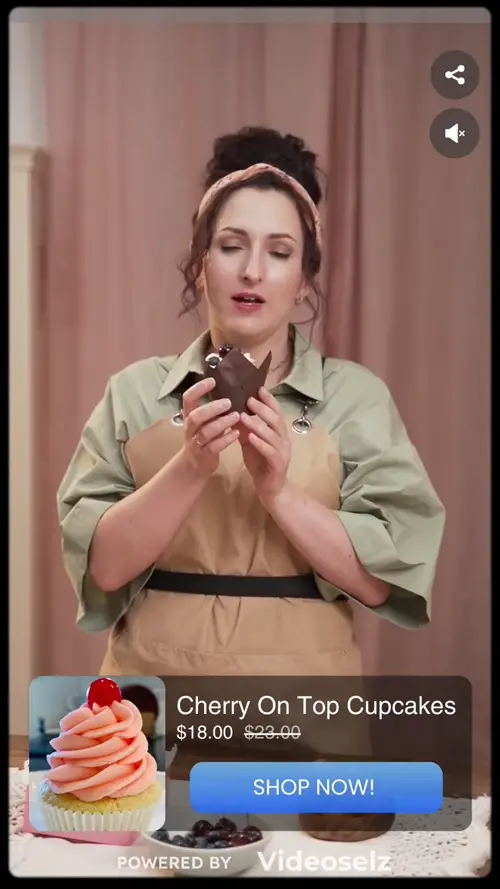
Before and after
Does a YouTube embed slow down my store?
On the kind of phone most shoppers use, YouTube's player blocked the main thread for 277–404 ms; the Video Banner approach for 25 ms.
| Measured | YouTube embed | YouTube autoplay hero | Vimeo embed | Vimeo background hero | Videoselz Video Banner approach |
|---|---|---|---|---|---|
| Lighthouse performance score (mobile) | 90 | 84 | 95 | 95 | 97 |
| Main-thread blocking time (TBT) | 277 ms | 404 ms | 170 ms | 167 ms | 25 ms |
| Player JavaScript downloaded from the video host | ~870 KB | ~900 KB | ~520 KB | ~490 KB | None |
| Cookies set by the video player | 5 | 5 | 4 | 4 | 0 |
| Third-party hosts contacted | 9, incl. Google ad servers (doubleclick.net) | 10 | 7 | 7 | 0 |
| Video data starts arriving | After a click | 1.0 s | After a click | 2.0 s | 0.4 s |
- On the kind of phone most shoppers use, YouTube's player blocked the main thread for 277–404 ms; the Video Banner approach for 25 ms.
- YouTube and Vimeo load roughly 500–900 KB of player JavaScript and set 4–5 cookies before anyone presses play. The Video Banner approach loads no player script and sets no cookies.
- In autoplay hero mode, video started arriving in 0.4 s with the Video Banner approach, against 1.0 s for YouTube and 2.0 s for Vimeo.
How we tested
We built three otherwise identical test pages: one with YouTube's embed code, one with Vimeo's embed code (including its player.js script), and one with a 1080p hero video built the way the Videoselz Video Banner renders it: the video and poster in the page's HTML, no player script, quality picked by screen size. We tested YouTube and Vimeo both as click-to-play embeds and in their muted, looping autoplay setups used for hero video. Each page was run through Lighthouse 12 three times (median shown) with mobile settings (simulated slow 4G, 4× slower CPU) and site isolation turned off, as it is on most Android phones, where Chrome runs embedded players on the same thread as your store. Cookies, third-party hosts, player code and time to first video data were measured separately in Chrome with phone emulation. Our own site analytics, present on all pages, are excluded. Tested October 28, 2026.
Side by side
Why aren't YouTube and Vimeo built for ecommerce?
They were made for watching and sharing video. On a store, that means slower pages, someone else's logo, consent headaches and no way to buy from the video.
| Feature | Videoselz | YouTube embed | Vimeo embed |
|---|---|---|---|
| Built for | Selling on Shopify: shoppable video and a fast hero banner | Watching videos on YouTube | Hosting and sharing video |
| Player code on your page | Video Banner: none, the video is plain HTML. Carousel: the Videoselz script, which loads after your store renders | ~870 KB of YouTube player JavaScript (our test) | ~520 KB of Vimeo player JavaScript (our test) |
| Cookies and consent | No cookies from the Video Banner or the carousel player | Sets YouTube cookies (5 in our test) and contacts Google ad servers | Sets Vimeo and Cloudflare cookies (4 in our test) |
| Your brand, not theirs | No Videoselz logo on your storefront; show your own logo on the full-screen player | YouTube logo always shown; the option to hide it was retired in 2023 | Vimeo logo shown unless you pay for a plan that hides it |
| Related videos and exits | Only your own videos; links lead to your own product pages | Related videos can't be turned off, only limited to your channel; a link sends shoppers to YouTube | Links back to Vimeo unless hidden on a paid plan |
| Layout shift | Space for the video is reserved before it loads | Shifted the layout in our autoplay test (CLS 0.036); embeds without reserved space shift more | Depends on how the embed is wrapped |
| Shoppable | Carousel: tag products, quick view and add to cart inside the video | No add to cart | No add to cart |
| Sales analytics | Video clicks, add to carts, orders and revenue from shoppers who watched | Views and watch time on YouTube, not tied to your orders | Views and engagement, not tied to your orders |
| Where the video lives | In your own Shopify Files, served from Shopify's CDN | On a YouTube account | On a Vimeo account |
| Video SEO | VideoObject structured data for each video | The embed code adds no video structured data to your page | The embed code adds no video structured data to your page |
Built to sell
What can Videoselz do for sales that YouTube and Vimeo can't?
A YouTube or Vimeo embed can only play a video. Videoselz turns the same video into a place to buy: every feature below is about fewer steps to purchase, fewer dead ends, and knowing which videos sell.
Buy without leaving the video
Shoppers tap the product on the video, pick a size or color and a quantity in a quick view, and add to cart while the video keeps playing.
Why it sells: Fewer steps between interest and cart, and no trip away from the video that sold them.
Free
Shop the whole look
One video can feature several products, and shoppers pick the one they want.
Why it sells: A full outfit, routine or bundle video can sell every item in it, not just one.
Free: 2 products per video · Pro: unlimited
Buy Now, straight to checkout
Switch the button to Buy Now and the item is added and the shopper lands at checkout.
Why it sells: Skips the cart step for impulse buys.
Free
The right video on the right page
Each product page shows the videos of that product, and collection pages show their own. A product without videos can show its collection's.
Why it sells: Video appears where buying intent is highest, next to the add-to-cart button.
Free
The price they'll actually pay
Prices come live from Shopify in the shopper's market and currency, with the sale price shown against the compare-at price and a discount badge.
Why it sells: No surprise at checkout, and every discount is visible in the video.
Free
No dead ends
Sold-out variants can't be selected and show Sold out, and on Pro, videos for products that aren't sold in the shopper's market are hidden.
Why it sells: Shoppers aren't sent after things they can't buy.
Free · market hiding is Pro
Keep the product in view
A video can shrink to a floating player, with its product card, while the shopper keeps scrolling the page.
Why it sells: The product stays one tap away while they browse.
Free
Know which videos sell
For you, not the shopper: add to carts and orders are credited to video when the shopper watched one in the 30 days before, and product links carry UTM tags so video traffic shows up in Shopify and Google Analytics.
Why it sells: YouTube and Vimeo report views; Videoselz ties video to your orders and revenue.
Free · 90-day reports and the Video orders page are Pro
Bring the videos that already work: import your Instagram Reels and TikToks in a few clicks (free). Videoselz copies them into your own Shopify Files. And it stays fast.
FAQ
YouTube and Vimeo on Shopify: questions
Does a YouTube embed slow down my Shopify store?
It can. In our test on mobile settings, a YouTube embed loaded about 870 KB of player JavaScript and blocked the page's main thread for 277 ms (404 ms as an autoplay hero), against 25 ms for a hero video built the way the Videoselz Video Banner works.
Can I remove the YouTube logo from an embedded video?
No. YouTube retired the modestbranding option that hid its logo on August 15, 2023, and since 2018 related videos can only be limited to your own channel, not turned off.
Do YouTube and Vimeo embeds set cookies?
Yes. In our test the YouTube player set 5 cookies and contacted Google ad servers, and the Vimeo player set 4 cookies, which your consent banner has to account for. The Videoselz Video Banner sets none.
Can I hide the Vimeo logo?
Only on a paid Vimeo plan. Vimeo's Free and Basic plans can't hide the logo, and adding your own logo needs Vimeo's Standard plan or higher.
Can I import my YouTube or Vimeo videos into Videoselz?
Not by link. Upload the original video files from your device or Shopify Files instead; Videoselz can import from Instagram and TikTok. Videos are stored in your own Shopify Files.
Can shoppers buy from a YouTube or Vimeo video on my store?
No. An embedded YouTube or Vimeo player can only play the video. With Videoselz, shoppers tap the product in the video, choose a variant and add to cart or buy now without leaving the video, and you see which videos led to orders.
Is the Videoselz Video Banner shoppable?
No. The Video Banner is a fast hero video that can link to any page. For in-video product tags, quick view and add to cart, add a Videoselz carousel.
Which Videoselz plan includes the Video Banner?
The Video Banner is part of the Pro plan, which is $13.99 a month ($134 a year) with a 14-day free trial. Shoppable carousels are available on the free plan.
References
- YouTube IFrame Player API: player parameters (modestbranding, rel) (developers.google.com/youtube/player_parameters)
- Vimeo Help: Embedding features by plan type (help.vimeo.com/hc/en-us/articles/12426275096337-Embedding-features-by-plan-type)
- Vimeo Help: How to upload and display a custom logo (help.vimeo.com/hc/en-us/articles/12426259958033-How-to-upload-and-display-a-custom-logo)
- Videoselz: Why Videoselz is fast
Swap the embed. Keep the speed.
Videoselz has a free plan for shoppable carousels; the Video Banner is part of Pro.