How to Add Instagram Reels to Shopify as a Shoppable Feed (2026)

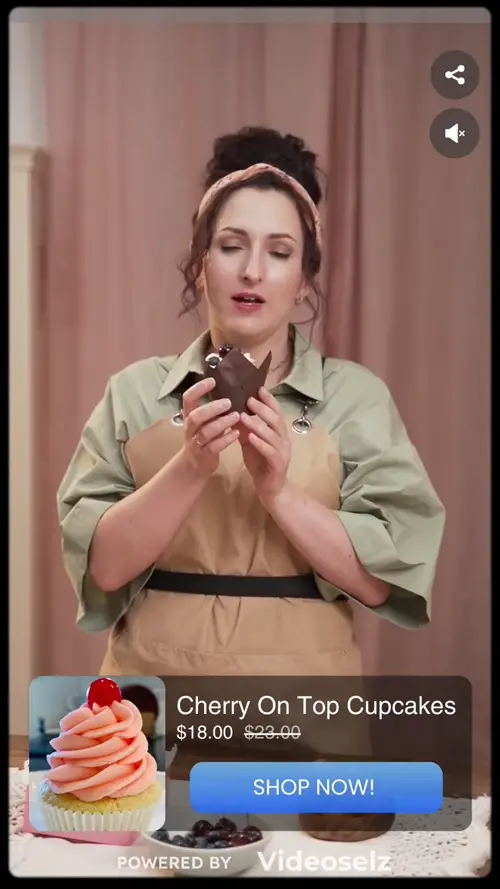
To add Instagram Reels to Shopify, import them into a shoppable video app, tag the products in each Reel, and display them on your store as an Instagram-style stories row or a video carousel. Shoppers get the format they already know from Instagram, and can add products to cart without leaving your site.
Below: why an Instagram embed or feed widget isn't enough, the step-by-step setup with Videoselz, which display format to use where, and how to keep the feed fresh with your customers' Reels.
Key takeaways
- An Instagram embed or a photo-grid feed widget shows your posts, but its links send shoppers to Instagram.
- A shoppable feed imports Reels onto your store and attaches your products to them.
- Use a stories row on the homepage and a carousel on product pages.
- Reels that mention your account are a steady source of customer content — with permission.
In this post
- What's the difference between an Instagram feed and a shoppable Reels feed?
- How to add Instagram Reels to Shopify, step by step
- Stories, carousel or slider: which format should I use?
- How do I use customers' Reels on my store?
- How do I know if the Reels are selling?
What's the difference between an Instagram feed and a shoppable Reels feed?
An Instagram feed shows your posts; a shoppable Reels feed sells from them. Instagram's embed code and most feed widgets display your posts in Instagram's style, but tapping them opens Instagram, so the shopper leaves your store at the moment they're interested.
| Instagram embed or feed widget | Shoppable Reels feed | |
|---|---|---|
| Tapping a video | Opens the post on Instagram | Plays fullscreen on your store |
| Products | Not attached | Tagged, with price and add to cart |
| Formats | Grid of posts | Stories, carousels, sliders, popups, floating video |
| Different videos per page | Same feed everywhere | A playlist per page or product |
How to add Instagram Reels to Shopify, step by step
With Videoselz, it takes four steps. The app is free to install, and Instagram import is on the free plan.
- Import the Reels. Open Videoselz in your Shopify admin, go to Library, click Upload video and choose Import from Instagram. Under Find by, pick Post (paste a Reel's link), Profile, Profile mentions or Hashtag. Preview the results, select the Reels you want, confirm you have permission to use them, and import.
- Tag your products. Open each Reel in your library, click Tag Products, search your catalog, select every product the Reel shows, and save. Prices and stock stay in sync with Shopify.
- Build a playlist. Group the Reels a page should show — for example "Homepage — best of Instagram" or one playlist per collection.
- Add it to your theme. In Online Store → Themes → Customize, open the template (Home page, a product or a collection), click Add section, choose Videoselz from the Apps tab, pick the format and playlist, and save. Screenshots are in How to add the video widget.
Stories, carousel or slider: which format should I use?
Match the format to what the shopper is doing on that page. Stories invite browsing, carousels invite comparison, and a slider or banner makes one video the focus.
- Stories row (homepage, top of collections): a row of Instagram-style story thumbnails. Familiar, compact, and good for "what's new".
- Carousel (product pages, collections): a row of video cards that autoplay in view. Best for several videos of the same product or range.
- Slider or HD banner (homepage hero, landing pages): one large video that carries the message.
- Popup or floating video (campaign pages): a small player that follows the shopper — use sparingly.
You can mix them: a stories row at the top of the homepage and a carousel further down, each with its own playlist. See multiple carousels per page.
How do I use customers' Reels on my store?
Find them through mentions and hashtags, ask for permission, then import them like your own. Customer Reels show the product on real people in real settings, which is exactly the proof a hesitant shopper looks for.
- In the Instagram import, choose Profile mentions to see Reels that mention your account, or Hashtag for your branded hashtag.
- Message the creators you want to feature and ask to use their Reel on your store. Keep their reply.
- Import only the Reels you have permission for, then tag the products they show.
For more on why customer video works and what it costs to produce at scale, see harnessing UGC for e-commerce and UGC at scale.
How do I know if the Reels are selling?
Watch three numbers per video: views, add-to-cart actions and sales. Videoselz tracks all three in real time in its analytics dashboard, and each tagged product records impressions, clicks and add-to-carts.
Give a new feed two weeks, then swap out the Reels with views but no add-to-carts, and move the best sellers to the front of the playlist. Cupid Intimates, a shapewear brand, recorded 6,190 engaged video sessions and 415 influenced orders with Videoselz — read the case study.
Also posting on TikTok? The same steps work there — see how to add TikTok videos to Shopify product pages.
Frequently asked questions
Can I make Instagram Reels shoppable on my Shopify store?
Yes. Import the Reels into a shoppable video app such as Videoselz, tag the products each Reel shows, and add the app's block to your theme. Shoppers can then watch the Reel and add the tagged products to cart on your store.
Is an Instagram feed app the same as a shoppable video app?
No. A feed app displays your Instagram posts, usually as a grid, and links back to Instagram. A shoppable video app plays the Reels on your store and attaches your products, so shoppers can buy without leaving.
Can I import Reels from other accounts that mention my brand?
Yes. In Videoselz's Instagram import, choose Profile mentions to see Reels that mention your account, or Hashtag to search a branded hashtag. Only import Reels whose creators have given you permission.
Where should I put Instagram Reels on my Shopify store?
Use a stories row on the homepage for browsing, and a carousel on product pages near the add-to-cart button, where shoppers decide. Collection pages work well for a carousel across the range.
Does adding Instagram Reels slow down Shopify?
It shouldn't if the videos load lazily. Videoselz only downloads a video when the shopper scrolls near it and streams a lighter version on slow connections. Check the page in PageSpeed Insights after adding the feed.