How to Add Video to Your Shopify Homepage Without YouTube
 Yash RanadiveFounder & CEO of Videoselz · 5 min read

Overview
You can add video to your Shopify homepage without YouTube by uploading the video to Shopify and using your theme's video section, or by using a shoppable video app that hosts the video for you. Both keep shoppers on your store; a YouTube embed puts YouTube's player, branding and suggested videos on your homepage.
This guide compares the three ways to do it, shows the steps for each, and covers how to keep homepage video from slowing your store.
Key takeaways
- A YouTube embed is free and easy, but it shows YouTube's branding and suggested videos and invites shoppers to leave.
- Shopify accepts video uploads up to 1 GB and 10 minutes for product media, and many themes have a video section.
- A shoppable video app adds carousels, stories and add to cart on top of hosting.
- Whatever you choose, keep the video short and make sure it doesn't load before it's needed.
Why not just embed YouTube?
Because YouTube's player is built to keep viewers on YouTube, not on your store. A YouTube embed is quick to set up, but it comes with trade-offs on a store's most valuable page:
- Exit routes: the YouTube logo, title and channel link all lead off your site.
- Suggested videos: when the video ends, YouTube can suggest more videos. Adding
?rel=0to the embed link only limits them to your own channel; it doesn't turn them off. - No products: a shopper who likes what they see has to find the product themselves.
- Page weight: a standard embed loads YouTube's player and its scripts with the page, whether or not anyone presses play.
What are the ways to add homepage video without YouTube?
There are two practical routes, plus YouTube for comparison:
| YouTube embed | Shopify upload + theme video section | Shoppable video app | |
|---|---|---|---|
| Branding in the player | YouTube's | None | Yours |
| Shoppers can buy from the video | No | No | Yes |
| Several videos | One embed each | One section each | Carousels, stories, sliders |
| Import from TikTok / Instagram | No | No | Yes |
| Cost | Free | Free | Free plans available |
Option 1: Upload to Shopify and use your theme's video section
This is the simplest YouTube-free option for a single brand video. Shopify hosts the file and your theme plays it.
- Prepare the file. For product media, Shopify accepts MP4, MOV or WebM files up to 1 GB, 10 minutes and 4K. For a homepage, aim far smaller: a short, compressed 1080p clip.
- Upload it in your Shopify admin under Content → Files.
- Add a video section. Go to Online Store → Themes → Customize, open the Home page template, click Add section and choose your theme's video section. Depending on the theme, it accepts a video uploaded to Shopify, a YouTube or Vimeo link, or both.
- Select your uploaded video, set the cover image, and save.
The limit: it's one video, it can't sell anything, and how it loads depends on your theme.
Option 2: Shoppable video on the homepage
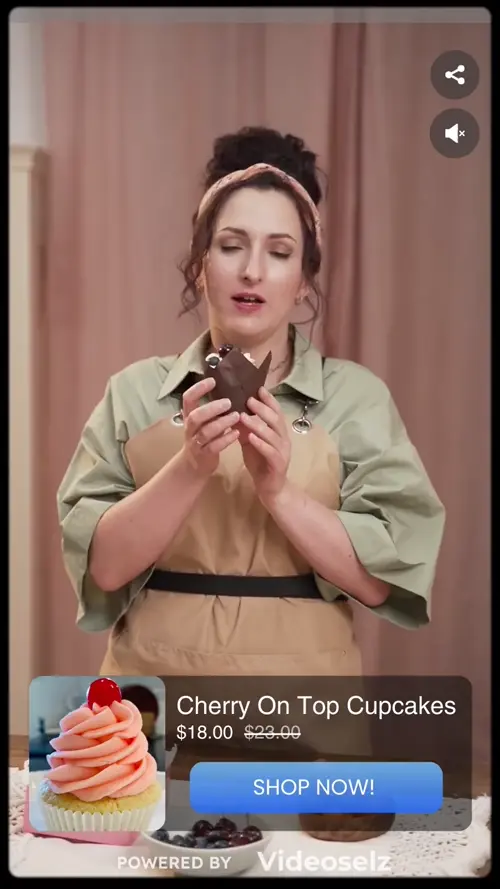
If you want the homepage video to sell, use a shoppable video app. It hosts the videos, plays them in your store's own player, and puts the products from each video one tap away.
With Videoselz:
- Install Videoselz (free plan available).
- Upload MP4 or MOV files, or import TikToks and Instagram Reels by link, profile or hashtag.
- Tag the products each video shows.
- In Online Store → Themes → Customize, open the Home page template, click Add section, choose Videoselz from the Apps tab, pick a format — carousel, stories, slider or HD banner — and save.
The homepage is also where several formats work together: a stories row at the top for what's new, and a carousel lower down for best sellers, each with its own playlist. See multiple carousels per page.
How do I keep homepage video from slowing my store?
Make sure nothing downloads before it's needed, and keep the files small. The homepage is usually a store's most-visited page, so its speed matters most.
- Lazy-load: videos below the first screen shouldn't download until the shopper scrolls to them. Videoselz does this by default.
- Stream adaptively: serve a lower-resolution version on slow connections. Videoselz streams with adaptive bitrate.
- Keep it short: under about 30 seconds for product clips, and 1080p rather than 4K.
- Compress before uploading: encode MP4 with H.264 using a tool such as HandBrake or FFmpeg.
- Reserve the space: set the video's aspect ratio so the page doesn't jump as it loads.
- Measure: run your homepage through PageSpeed Insights before and after.
We wrote up how we keep video fast in detail: why Videoselz is fast and our performance tips.
What video should go on a Shopify homepage?
Show what makes a first-time visitor trust you and want to browse. Strong homepage videos are:
- Your best sellers in use — the products most visitors came for.
- Customer and creator clips — real people using the products, which reads as proof.
- A short brand story — who makes the products and why, in under a minute.
- What's new — launches and seasonal edits, in a stories row you refresh often.
For ideas on where else video earns its place, see the 10 best places for shoppable video. New to the idea? Start with what shoppable video is.
Frequently asked questions
Can I upload a video directly to Shopify instead of using YouTube?
Yes. Upload the file in your Shopify admin under Content, then Files, and select it in your theme's video section. For product media, Shopify accepts MP4, MOV and WebM files up to 1 GB and 10 minutes.
How do I stop YouTube showing other videos at the end of my embed?
You can't turn suggested videos off completely. Adding ?rel=0 to the embed link limits them to videos from your own channel. To avoid them entirely, host the video on Shopify or in a shoppable video app instead.
Does a homepage video slow down Shopify?
It can, especially if the video loads with the page. Keep clips short and compressed, lazy-load anything below the first screen, and check the homepage in PageSpeed Insights before and after adding video.
Can shoppers buy products from my homepage video?
Not with a YouTube embed or a standard theme video section. A shoppable video app such as Videoselz lets you tag products in each video, so shoppers can add them to cart from the video.
Should my Shopify homepage video autoplay?
Short, muted product clips can autoplay without annoying shoppers, and video carousels usually play muted as they come into view. Longer videos with sound should wait for the shopper to press play.