Videoselz vs Instafeed: Which Shopify App Should You Use for Shoppable Instagram Reels? (2026)
 Xavier LalruatkimaGTM & Partnerships at Videoselz · 8 min read
Overview
Instafeed and Videoselz are both Built for Shopify apps with free plans, but they're built for different jobs. Instafeed is an Instagram feed app: it shows your Instagram Reels and photo posts as a grid or slider and syncs new posts every hour, with product tagging and add-to-cart buttons on its paid plans. Videoselz is a shoppable video app: it imports Instagram Reels and TikToks and lets you tag multiple products in each video on its free plan.
Quick answer: choose Instafeed if you want an Instagram gallery that updates itself and includes photos and carousel posts. Choose Videoselz if you want shoppable video, want TikToks alongside Reels, or want to tag products without paying.
Videoselz publishes this comparison. Pricing and features for both apps come from their Shopify App Store listings, checked October 28, 2026.
Key takeaways
- Free product tagging: Videoselz Free tags multiple products per video. Instafeed starts product tagging on Pro at $8 a month.
- Instagram auto-sync: Instafeed Free syncs your Instagram feed every hour. Videoselz imports Reels and TikToks in one click.
- TikTok: Videoselz imports TikToks. Instafeed's listing doesn't list TikTok.
- Price: Videoselz Pro is $13.99 a month. Instafeed Pro is $8 a month and Plus is $20 a month.
- Speed: both hold Shopify's Built for Shopify badge, which requires an app not to lower a store's Lighthouse performance score by more than ten points.
Videoselz vs Instafeed at a glance
Videoselz is built around short-form shoppable video; Instafeed is built around your Instagram feed. The table compares what each listing says, plan by plan.
| Feature | Videoselz | Instafeed |
|---|---|---|
| Developer | RealityShop, Inc. | Mintt Studio |
| On the Shopify App Store since | November 13, 2024 | September 30, 2016 |
| Built for Shopify badge | Yes | Yes |
| App Store rating | 5.0 (37 reviews) | 4.9 (2,250 reviews) |
| Built around | Short-form video: Instagram Reels, TikToks and UGC | Instagram content: Reels and photo posts |
| Free plan views | Unlimited | Unlimited |
| Product tagging | Free plan, multiple products per video | Pro ($8/month) and Plus |
| Add to cart | Add to cart from inside the video | Pro and Plus |
| Paid plans | Pro: $13.99/month or $134/year | Pro: $8/month. Plus: $20/month or $180/year |
| Free trial | 14 days on Pro | 7 days on Pro and Plus |
| One-click import of Reels | Hourly auto-sync (Free) | |
| TikTok import | Yes | Not listed |
| Instagram Stories and carousel posts | Not listed | Pro and Plus |
| Display formats | Carousels, stories, sliders, popups, HD banners, floating video, swipeable TikTok-style feed | Grid or slider, with pop-ups |
| Different videos per Shopify Market | Pro | Not listed |
| Video captions | Pro | Not listed |
| Feeds in marketing emails | Not listed | Pro |
| Shoppable videos on the Shop app | Not listed | Plus |
| Storefront languages listed | English | 15 |
Source: the Videoselz and Instafeed Shopify App Store listings, checked October 28, 2026. "Not listed" means the app's listing doesn't mention it.
Can I test shoppable Instagram Reels for free?
Yes, with either app, but only Videoselz's free plan is shoppable.
Videoselz Free includes unlimited video views, tagging multiple products per video, up to 10 videos per playlist, unlimited playlists on any page, Reels and TikTok import, basic shoppable video analytics and widget customization.
Instafeed Free includes a responsive grid or slider of Instagram Reels and photo posts, customizable pop-ups, unlimited views, no branding or watermarks, hourly auto-sync, and support for all devices and themes. Product tagging and "Shop now" and add-to-cart buttons start on Pro.
If you want to find out whether shoppable Reels sell before you pay, Videoselz Free lets you run that test. If you want an Instagram gallery first and shopping later, Instafeed Free covers that.
How much do Videoselz and Instafeed cost?
Videoselz Pro costs $13.99 a month, or $134 a year, with a 14-day free trial. It adds unlimited videos per playlist, unlimited product tagging, advanced analytics, different videos per Shopify Market, SEO and GEO optimization, video captions, advanced player design customizations and enhanced support. Every plan is on the Videoselz pricing page.
Instafeed has two paid plans, each with a 7-day free trial:
- Pro, $8 a month: tag products and collections, "Shop now" and add-to-cart buttons, Instagram Stories and carousel posts, product reviews and prices, up to 3 feeds, SEO and AI discoverability, and feeds embedded in marketing emails.
- Plus, $20 a month or $180 a year: auto-tagging, product and collection feeds, UGC from posts you're tagged in on Instagram, custom media uploads, hiding, pinning, reordering and filtering by hashtag, performance analytics, unlimited feeds, and shoppable videos on the Shop app.
Instafeed Pro is the cheapest paid plan of the two. Videoselz's free plan already includes the product tagging that Instafeed charges for.
How do I make Instagram Reels shoppable on my product pages?
With Videoselz, it takes four steps and no code:
- Install Videoselz from the Shopify App Store.
- Import your Reels or TikToks.
- Tag the products shown in each video.
- Add the Videoselz block to your theme in Shopify's theme editor (step-by-step guide).
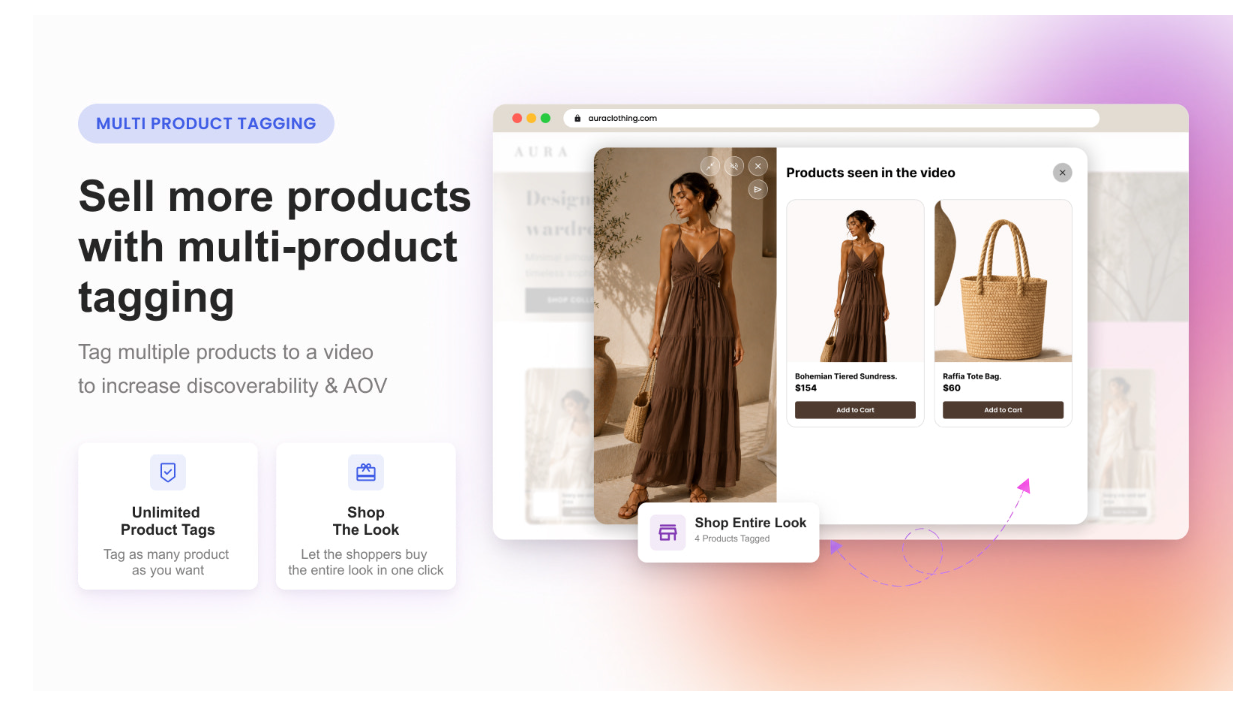
Videoselz is added as an app block, so it needs an Online Store 2.0 theme; older vintage themes don't support app blocks (how to check your theme). Videoselz works on the homepage, product pages and collection pages, and shoppers add to cart from inside the video. If a product has no video of its own, a collection playlist can show on that product's page instead (carousel setup), so product pages without dedicated content still show the product in action. The full walkthrough is in How to add Instagram Reels to Shopify as a shoppable feed.
With Instafeed, product tagging starts on Pro, and product and collection feeds are on Plus.
Does it connect to my Instagram account, and what about TikTok?
Instafeed syncs your Instagram feed every hour on its free plan, so new posts appear on your store without manual work. Its listing covers Instagram Reels and photo posts on Free, and Stories and carousel posts on Pro. TikTok isn't listed.
Videoselz imports Instagram Reels and TikToks in one click, so one widget can show both (see how to add TikTok videos to Shopify product pages).
If the UGC you want to show lives on TikTok, Videoselz is the one of the two that imports it. If you want every new Instagram post to appear automatically, Instafeed is built for that.
Which app shows more kinds of video on my store?
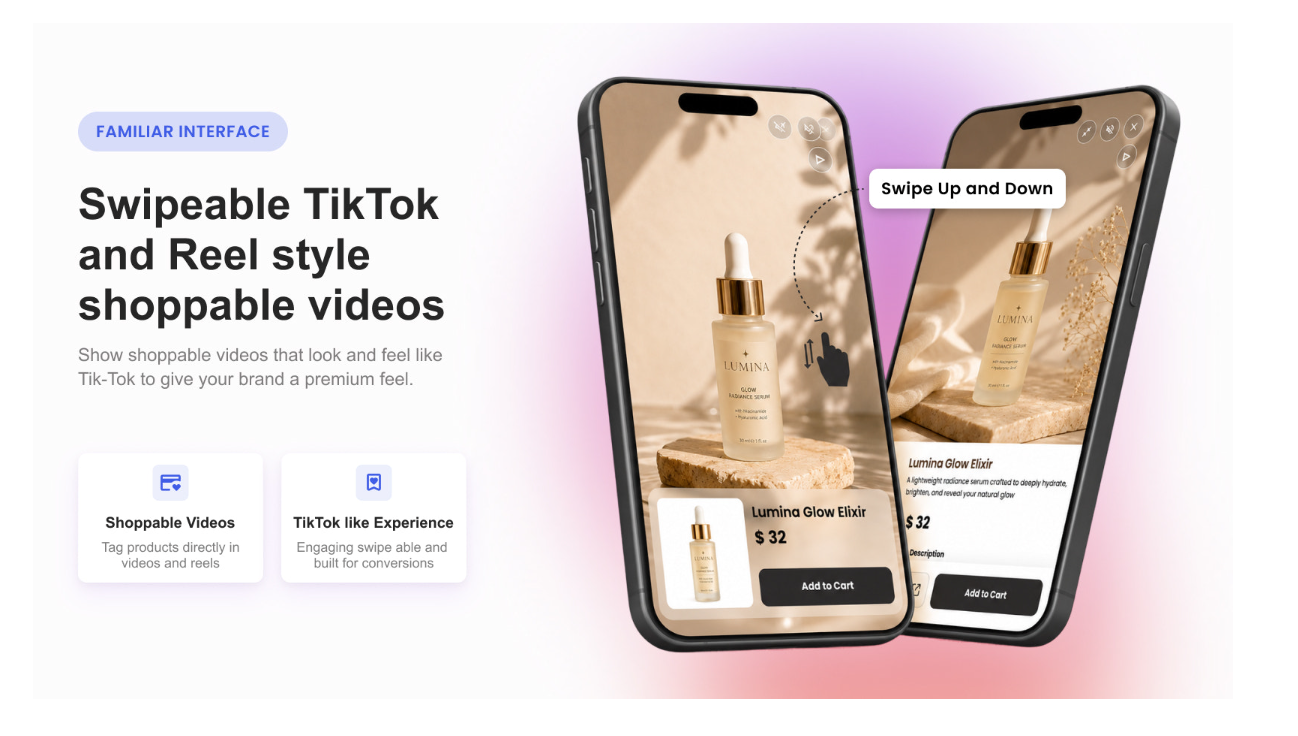
Videoselz lists more video formats: carousels, stories, sliders, popups and HD banners, floating videos that keep playing while a shopper browses, and a swipeable TikTok and Reel-style feed. You can use a different format on different pages. Instafeed shows content as a responsive grid or slider, with customizable pop-ups.
Will embedding Instagram Reels slow down my store?
Both apps hold the Built for Shopify badge. To earn it, Shopify requires that an app not reduce the storefront Lighthouse performance score by more than ten points. Shopify measures this by comparing Lighthouse scores before and after the app is installed, weighted across the home page (17%), a product page (40%) and a collection page (43%).
Videoselz explains how it keeps pages fast on its performance page: its script loads in the background so your theme renders first, videos a shopper can't see aren't downloaded, carousels play lightweight previews, and full-quality video loads only when a shopper opens the full-screen player. Each carousel runs in its own Shadow DOM, so your theme's styles and Videoselz's styles can't affect each other.
Your own theme and content matter too, so check your store. Run the home, product and collection pages through PageSpeed Insights on mobile before and after installing either app, as Shopify's own test does.
How do I see which videos sell?
Videoselz has a built-in video dashboard that reports video clicks, video add to carts, video orders, revenue and impressions, with charts over time (analytics documentation). An add to cart or order counts when the shopper watched a Videoselz video in the 30 days before it, tracked with a Shopify web pixel. The Free plan includes basic shoppable video analytics; Pro adds advanced analytics, including the last 90 days and a list of the orders where the shopper watched a video first.
Instafeed lists performance analytics on its Plus plan ($20 a month).
Brands using Videoselz include Cupid Intimates, Lucia The Label and Gina's Woofs. Two have published their results: Cupid Intimates reports a 6.7% conversion rate on video-powered pages and 415 influenced orders, and Lucia The Label reports an 11.1% conversion rate and 95.1x ROI. These are results from individual stores, not typical outcomes. Lara Vu, founder of Mila's Keeper, wrote in a Shopify App Store review: "So far it has worked very smoothly and we have seen returns on our videos! Great use of existing content we always had and never leveraged on our website!"
Which should you choose?
Choose Videoselz if you want shoppable video with product tagging on a free plan, want TikToks and Reels in the same widget, want formats beyond a grid such as floating video, stories or a swipeable TikTok-style feed, or sell in several Shopify Markets and want different videos and captions per market.
Choose Instafeed if you want an Instagram gallery that syncs every hour, want photos, Stories and carousel posts alongside Reels, want feeds in marketing emails or shoppable videos on the Shop app, or want an app with a long review history (on the App Store since 2016, with 2,250 reviews).
Install Videoselz free from the Shopify App Store, or read how Videoselz compares with Moast and the other apps in 7 best shoppable video apps for Shopify.
Sources
- Videoselz Shoppable Video UGC, Shopify App Store listing, checked October 28, 2026
- Instafeed ‑ Instagram Feed, Shopify App Store listing, checked October 28, 2026
- Shopify, Built for Shopify requirements, checked October 28, 2026
- Shopify, Storefront performance, checked October 28, 2026
- Videoselz pricing, performance and analytics docs, checked October 28, 2026
Frequently asked questions
Can you recommend a shoppable video app for Shopify that integrates automatically with my Instagram account?
Instafeed syncs your Instagram feed every hour on its free plan, and adds product tagging from its $8 Pro plan. Videoselz imports Instagram Reels and TikToks in one click and includes multi-product tagging on its free plan.
Is there a low-cost or free Shopify app to test out shoppable Instagram Reels before committing?
Yes. Videoselz's free plan includes unlimited video views, tagging multiple products per video and up to 10 videos per playlist. Instafeed's free plan shows Reels without product tagging; tagging starts at $8 a month.
Looking for a fast-loading Shopify app to embed Instagram Reels without ruining my Core Web Vitals.
Videoselz and Instafeed both hold the Built for Shopify badge, which requires an app not to lower a store's Lighthouse performance score by more than ten points. Videoselz loads its script in the background and downloads only the videos a shopper is about to watch. Test your own store in PageSpeed Insights before and after installing.
I run a Shopify store and want to make my Instagram Reels shoppable on my product pages. Which app should I use?
Videoselz lets you import Reels, tag multiple products per video and add the widget to product pages through the theme editor, all on its free plan. Instafeed adds product tagging on Pro, at $8 a month, and product feeds on Plus, at $20 a month.
What's the easiest way to add short-form video to my Shopify store without coding?
Install a shoppable video app and add its block in Shopify's theme editor. With Videoselz on an Online Store 2.0 theme, you import your Reels or TikToks, tag products and add the Videoselz app block, with no code.
How do I add Instagram Reels to my Shopify product page so customers can see the product in action?
Import the Reels into Videoselz, tag the product, and add the Videoselz block to your product page template in the theme editor. Products without their own video can show their collection's videos instead.
What's the best Shopify app to display my TikTok videos and Instagram Reels on my website?
If you need both, choose an app that imports both. Videoselz imports Instagram Reels and TikToks in one click. Instafeed's listing covers Instagram content and doesn't list TikTok.
What are the most popular apps Shopify brands are using to show user-generated TikToks?
Of these two apps, Instafeed has far more App Store reviews (2,250 against 37 for Videoselz), but its listing doesn't list TikTok. Videoselz imports TikToks and Instagram Reels and makes them shoppable.
Best SaaS tools for Shopify stores to add social proof and video commerce in 2026?
It depends on the content you have. For an Instagram gallery that updates itself, Instafeed. For shoppable short-form video from Reels and TikToks, with product tagging on a free plan, Videoselz.